
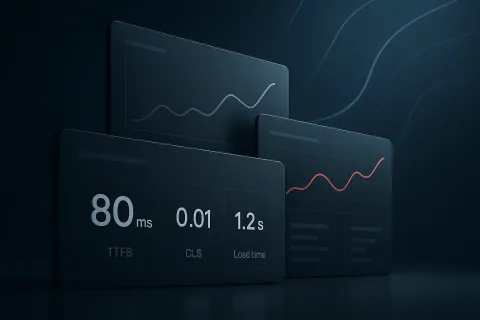
Core Web Vitals in 2026: how to prioritize TTFB, CLS, and load time by real user impact
For years, performance discussions have often oversimplified the problem. We talk about “improving Core Web Vitals” as if every metric had the same meaning, the same urgency, and the same business impact. In 2026, that approach is no longer enough. The real question is not just which score is lower, but which issue affects the most users, on which pages, under which conditions.
TTFB, CLS, and load time are still essential signals, but they do not always deserve the same priority. A content site, a login-heavy SaaS product, and a dynamic commerce experience may need very different decisions. The good news is that prioritization can be much more precise when technical data is paired with real-world experience data.
Why averages are no longer enough
A site-wide average can hide the problems that matter most. TTFB may look fine on desktop while spiking in certain regions or browsers. CLS may only appear on pages with banners, widgets, or images without fixed dimensions. Load time may seem acceptable overall, while the content users actually need takes too long to become available.
That is why prioritization in 2026 should start with a different question: which metric is hurting the largest number of users in the most relevant contexts?
The answer rarely comes from a single dashboard. It requires segmentation by device, browser, operating system, resolution, and page type. And above all, it requires observing real user traffic, not only controlled lab tests.
TTFB: the first bottleneck worth reading in context
Time to First Byte measures how long the server takes to send the first byte of response. When TTFB is high, everything else is delayed. Still, it is not always the most visible issue for the end user. It can be critical if it affects landing pages, internal search, or transactional flows; less urgent if it appears on low-traffic secondary pages.
The key is to understand where TTFB has the greatest impact. If it aligns with campaigns, international traffic, or specific browser and OS combinations, its priority rises immediately. It is also worth checking whether the slowdown is constant or intermittent, because isolated spikes should be handled differently from sustained degradation.
In practice, if improving TTFB reduces the time until users see meaningful content on high-intent pages, it is often one of the highest-return investments.
CLS: the metric that most visibly damages quality perception
Cumulative Layout Shift remains one of the most frustrating experience problems. Unexpected movement can trigger wrong clicks, create friction, and weaken trust, especially on forms, checkout steps, or interactive content.
In 2026, CLS should be prioritized when it affects critical elements: buttons, calls to action, form fields, prices, legal notices, or blocks users need to read and use. If the shift happens in secondary areas, the impact may be limited. If it occurs right before interaction, urgency increases.
Prioritization here depends heavily on visual context. It is not enough to detect that “CLS exists”; you need to know what moves, on which page, and how often. It also matters whether the issue is isolated to one component or repeated across multiple URLs.
Load time: speed is not the whole story
Talking about load time without nuance can lead to bad decisions. A page may feel fast in general terms while still taking too long to show the content that matters. Or it may finish loading late even though the user can already read and interact earlier.
That is why it helps to separate two questions: when does the user first see value, and when does the page fully complete loading? Both measurements matter, but not equally depending on the page type. On a lead-generation landing page, the time until the main message is visible may matter more than full load completion. In an application dashboard, functional readiness may matter more than absolute completion.
Prioritization should follow the real user journey: if a delay prevents reading, deciding, or interacting, it deserves more attention than a technical delay the user never notices.
How to prioritize in a practical way in 2026
A simple matrix can help organize the work. First, identify the metric with the biggest impact on the highest-value pages. Then assess how often the issue occurs and how many users are affected. Finally, consider the complexity of the fix and its possible side effects.
A useful rule of thumb is:
- High priority: issues affecting key pages, with high frequency and clear functional impact.
- Medium priority: relevant issues limited to specific segments or lower-value pages.
- Low priority: isolated anomalies, rare occurrences, or marginal impact on the real experience.
This approach prevents teams from spending weeks on optimizations that barely change anything for users. It also makes it easier to justify decisions to product, marketing, and engineering with impact-based reasoning rather than intuition.
What data you need to make better decisions
Prioritization improves significantly when technical metrics are combined with contextual segmentation. A CLS issue on Chrome mobile is not the same as one on desktop, and a slow TTFB on organic traffic may matter more than the same issue in a paid campaign. Likewise, a problem that appears on one template is not equal to one repeated across dozens of pages.
Real User Monitoring data is especially useful because it reflects what happens in actual visits. From there, you can group and categorize errors, measure impact by context, and decide which issue deserves attention first. In this model, the metric is no longer the end goal; it becomes a guide for action.
Beyond TTFB, CLS, and load time, it is also worth watching resource loading failures, JavaScript errors, and HTTP errors in AJAX requests, because they often explain why performance degrades on specific pages.
A realistic roadmap for small and large teams
If your team is small, the most useful starting point is usually the pages with the highest traffic or business value, then the metric doing the most damage, then the most repeated pattern. If your team is more mature, it can work with finer segmentation and prioritize by context, impact, and effort.
In both cases, the goal is the same: avoid cosmetic optimizations and focus on the issues that affect real users the most. That means reviewing not only the metric, but also the cause: oversized or undersized images, broken links, resource errors, or scripts that block the experience.
When prioritization is based on real impact, performance stops being an endless task list and becomes a clear strategy.
Evaluate impact before deciding what to optimize first
If you want to prioritize TTFB, CLS, and load time more effectively, RUM data and context-based segmentation can help you see which issues affect your real users most.
See how to get started